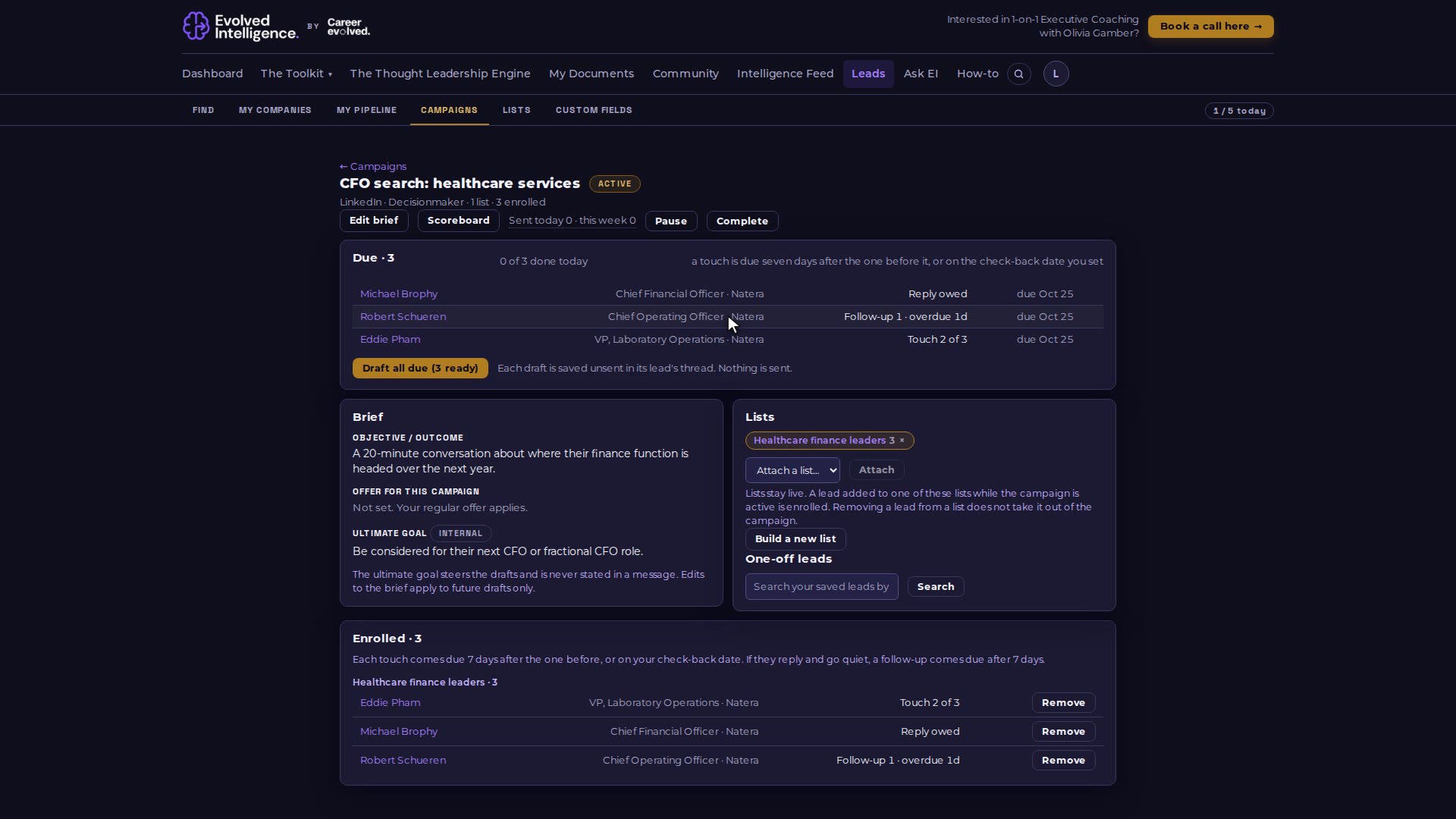
A campaign's due queue lists who needs you today: the next touch, a reply you owe, or a follow-up after a conversation went quiet. The sent-today counter tracks your daily target.
Video 08 of 15 · 1:19
Step by step
Open your campaign (Leads, then Campaigns). The Due list shows everyone who needs you today.
"Touch 2 of 3" is the next message in the cadence, due a week after the last one.
"Reply owed" means they wrote back and it is your turn.
"Follow-up 1" (then "Follow-up 2") comes due when a conversation goes quiet for a week after your last message.
Click a name to open the lead, draft the message, send it yourself and click "Copy and mark sent".
The counter at the top right ("N / 5 today") and the queue's "done today" go up as you mark messages sent.