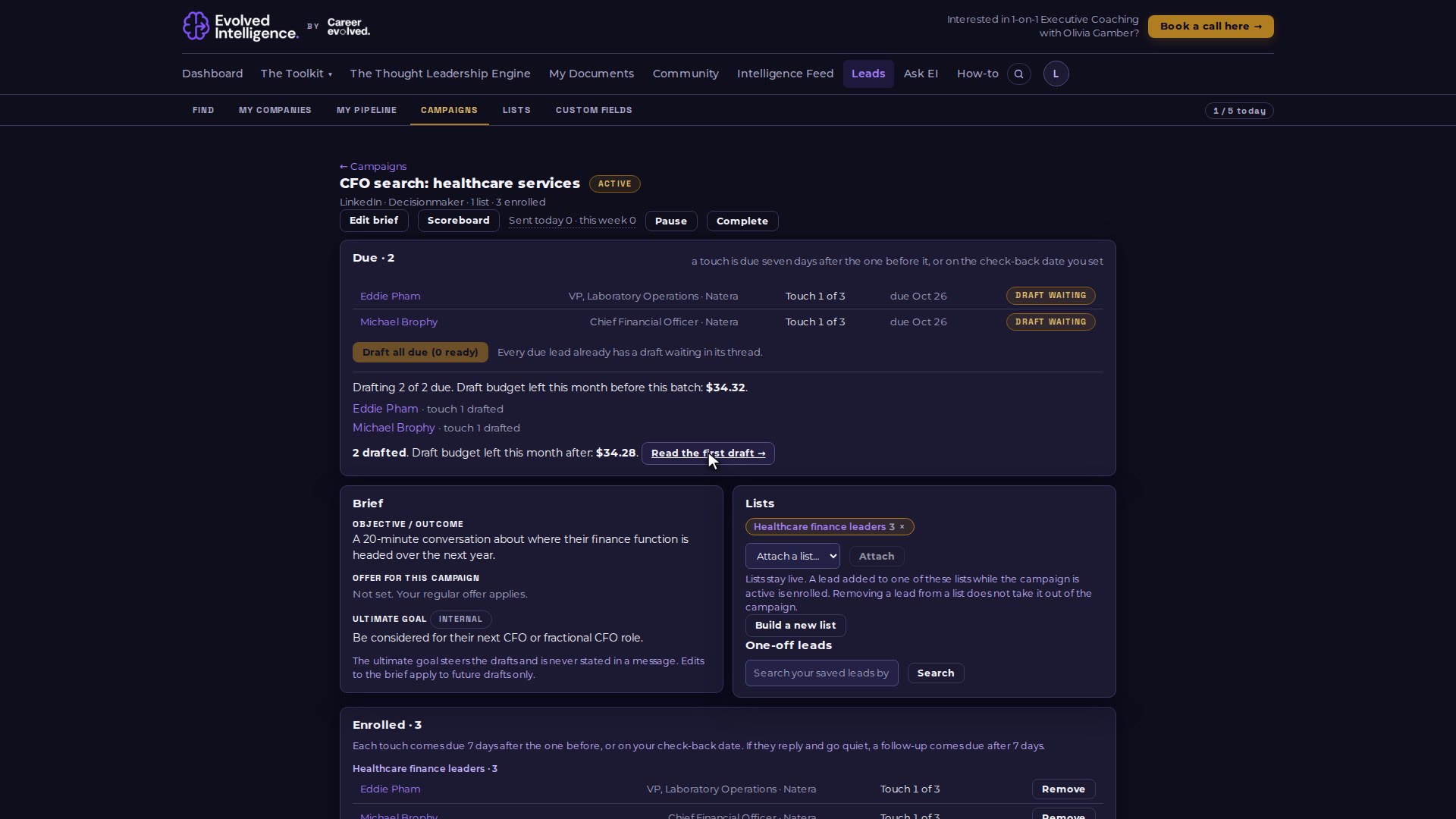
Create a campaign, write its brief, attach a people list, draft every message that is due in one click, and follow the results on the scoreboard. Drafts are never sent for you.
Video 09 of 15 · 1:30
Step by step
Open Leads, then Campaigns, and choose New campaign.
Write the brief: a name, the objective, an offer (or leave it blank to use your regular offer) and the internal goal that steers the drafts. Save as draft.
Attach a people list. Everyone on it is enrolled when you activate, and so is anyone you add to the list later.
Activate, then choose "Draft all due". EI drafts the next touch for every lead that is ready.
Review each draft in the lead's workspace, send it yourself, and mark it sent.
Open the Scoreboard to see touches sent, replies and outcomes.