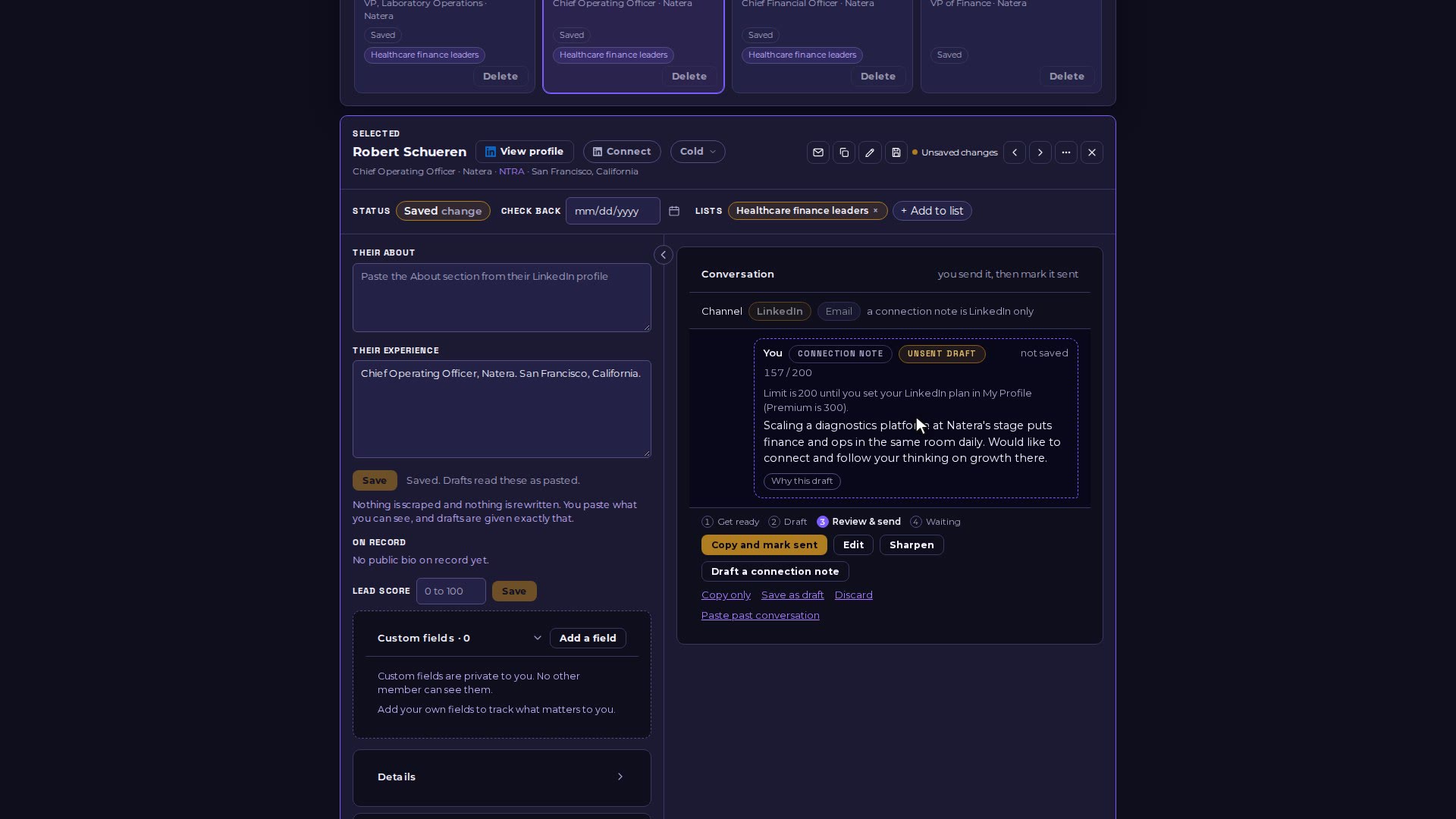
Add a lead's experience, draft a LinkedIn connection note, then copy it and mark it sent. EI records it (touch 1 in a campaign) and the connection shows as Requested. EI never sends anything itself: you send it from LinkedIn.
Video 07 of 15 · 1:16
Step by step
Open My Pipeline and click a lead to open their workspace.
Click "Add experience", paste the Experience section from their LinkedIn profile (or what you know of their role) and Save.
Click "Draft a connection note". The draft is written from their experience and your Executive Profile.
Read it and edit if you like, then click "Copy and mark sent". The note is copied for you to paste into LinkedIn.
EI records it as sent (touch 1 when the lead is in a campaign), sets a check-back date a week out, shows the LinkedIn toggle as Requested, and the sent-today counter goes up.